15. Change Music & Sounds
Edit AudioCollection ScriptableObjects, replace home and gameplay music tracks, configure SoundManager, and adjust mixer groups.
15.1 Edit the Audio Collection
Open Assets/SFX/AudioCollection.asset.
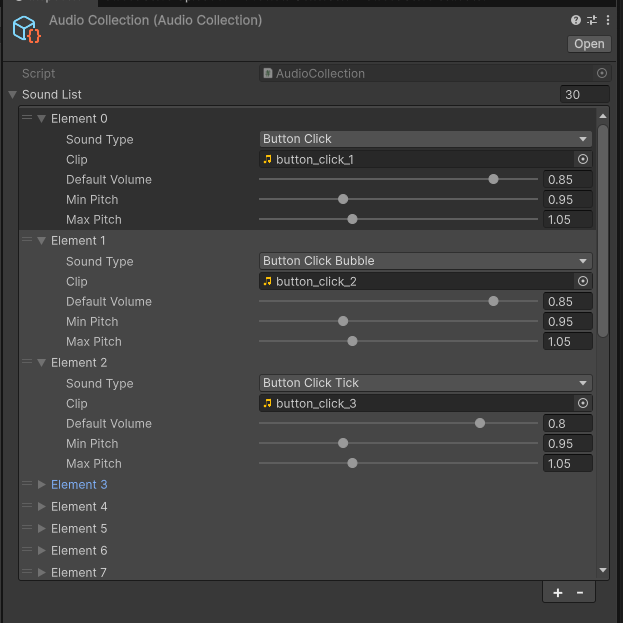
| Field | What it does |
|---|---|
| Sound Type | The existing game action or music identity. |
| Clip | Audio played for that type. Replace this to change the sound. |
| Default Volume | Starting loudness for the entry. |
| Min Pitch / Max Pitch | Pitch range used for variation. Use equal values for a fixed pitch. |
Replace clips for the existing Sound Types to rebrand the audio without changing scripts. Keep the event types that the game already calls. A newly invented sound event needs a call from a feature.
The current flow uses Music Sunny Market on Home and Music Cozy Breeze during Gameplay. Replace their clips in the collection to change those tracks.
15.2 Check Sound Manager
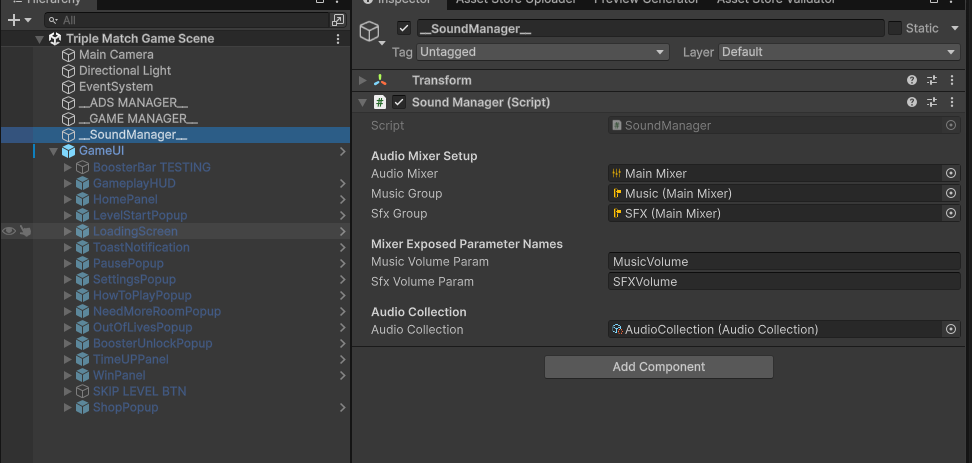
Sound Manager connects the Audio Mixer, Music Group, SFX Group, and Audio Collection. Its parameter names must match the exposed mixer parameters. Keep the supplied routing unless you are intentionally changing the audio setup.
15.3 Change settings toggle graphics
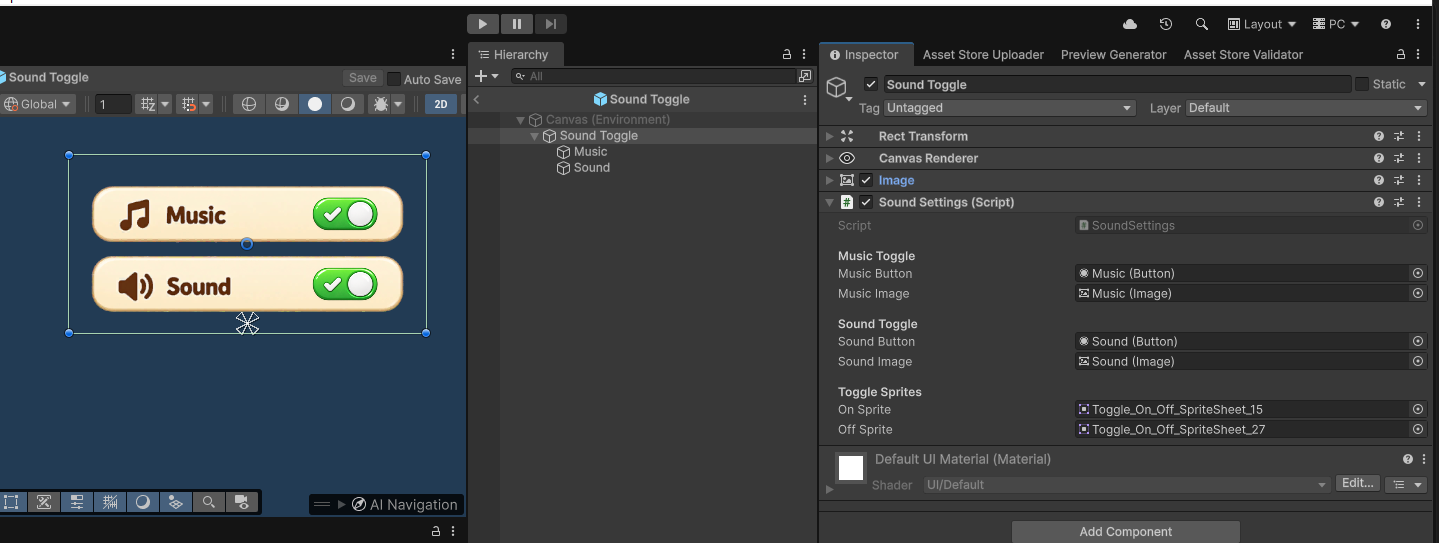
The Sound Settings component connects music and sound buttons/images, plus the on/off sprites. Replace the sprites to rebrand the toggles. Keep the button references so the existing actions continue to work.
15.4 Balance music and effects
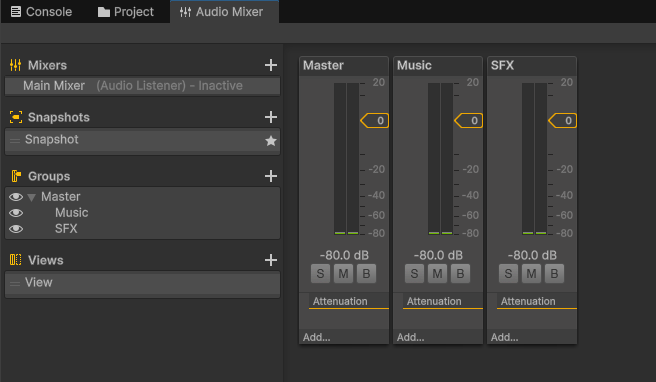
Open Assets/SFX/Main Mixer.mixer. Master affects the overall output; Music and SFX separate the two groups. Test with sound enabled in the game's settings because saved mute settings can override what you expect to hear.